Your chargers, your brand, one platform
Give every installer, reseller and end-user a complete software experience. Portal, apps, smart charging and integrations, all managed from your OEM control plane.
What Plugchoice gives OEMs For every role in your value chain.
A complete charging experience
Your customers' end-users get a branded mobile app with session control, smart charging and real-time insight into their energy usage.
- Charger control and session history
Start, stop and monitor sessions directly from the branded mobile app
- Solar-aware and tariff-optimized charging
Intelligent scheduling based on solar production and energy tariffs
- OCPP Proxy
Run chargers alongside any backoffice via the OCPP Proxy without replacing the current setup
Professional tools from day one
Installers and CPOs manage your chargers through a web portal with fleet-wide visibility, diagnostics and guided commissioning.
- Fleet management and monitoring
All chargers, locations and users in one web portal with real-time status
- Guided on-site commissioning
Step-by-step commissioning flow via the mobile app, no repeated site visits
- Remote diagnostics and OCPP logging
Full OCPP message logging and remote troubleshooting without site visits
Full control, zero development
An OEM admin with elevated permissions. Manage branding, feature availability, firmware and support across your entire charger fleet.
From locked in to connected See what changes when your chargers speak to the world.
300+ supported Backoffices
Your app. In their hands.
What the end-user gets from your branded app
- Start and stop charging
Remotely begin or end a session from the app, no matter where you are.
- Monitor sessions
Live energy flow, duration and cost. Full session history with exports.
- Smart scheduling
Set preferred charging times based on tariffs, solar production or personal preference.
- Push notifications
Get notified when a session completes, an error occurs or a charger comes back online.
Smart Charging included for free
- Dynamic Load Balancing
Automatically distributes available power across all connected chargers in real time.
- Solar Balancing
Prioritizes self-generated solar energy before drawing from the grid.
- Dynamic energy prices
Charges when electricity is cheapest based on real-time market rates.
- Peak Shaving
Prevents grid overload by capping total consumption during peak demand.
- Scheduled Charging
Set preferred time windows so charging happens off-peak automatically.
For Installers from the same app
- Easy configuration
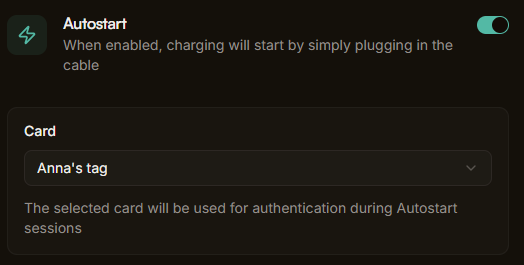
Set up charger parameters through a clean interface, no CLI needed.
- Operator management
Add or remove operators with a single click from the app.
- Premium support
Direct line to our team. No tickets, no queues, no waiting.
- Add Meters
Configure energy meters directly from the app for power management.
Professional management For your installers. And for you.
Your customers manage their entire charger fleet from a single web portal. Real-time status, diagnostics, multi-tenant access and full OCPP logging.
Explore the web portal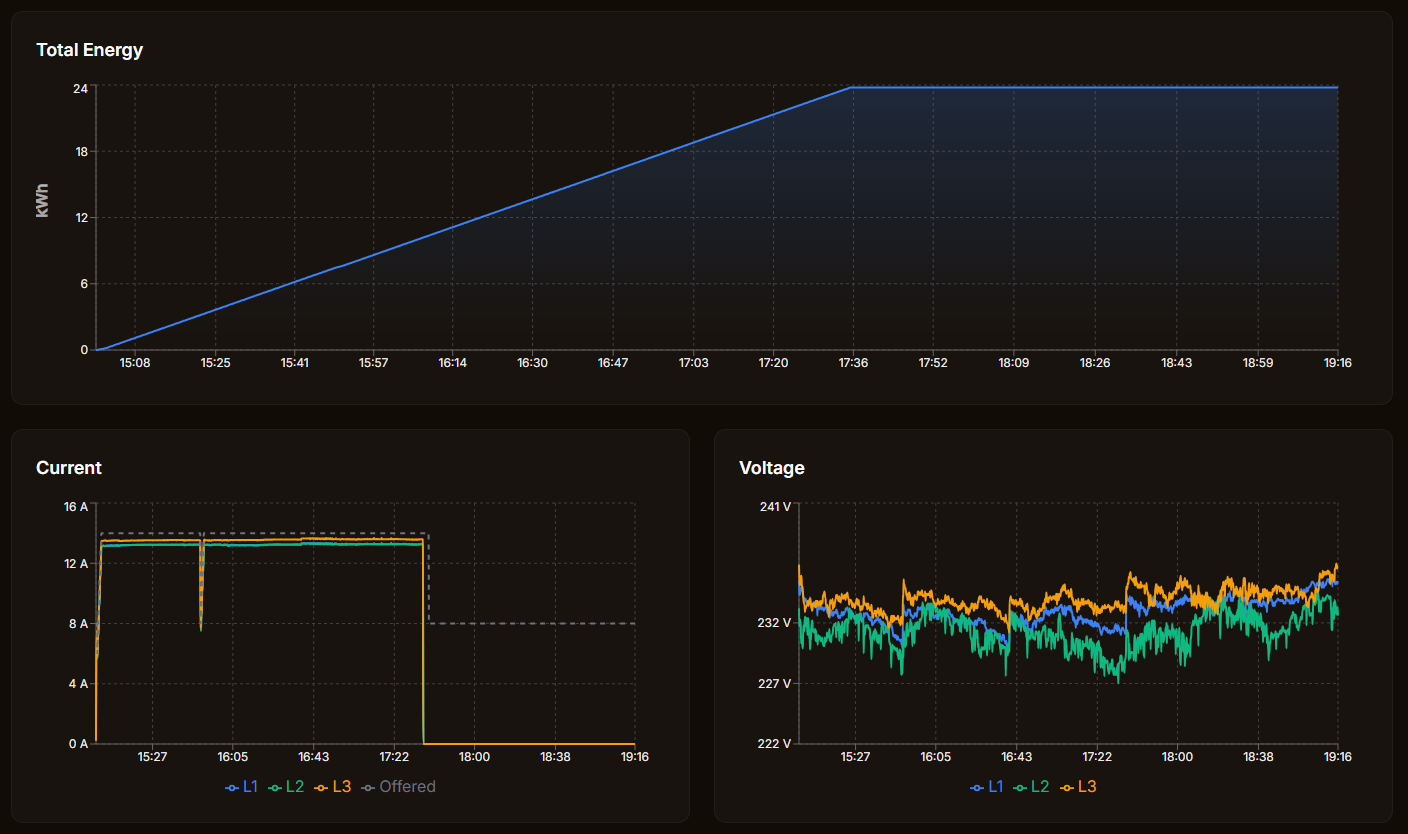
Fleet operations
Charger fleet overview
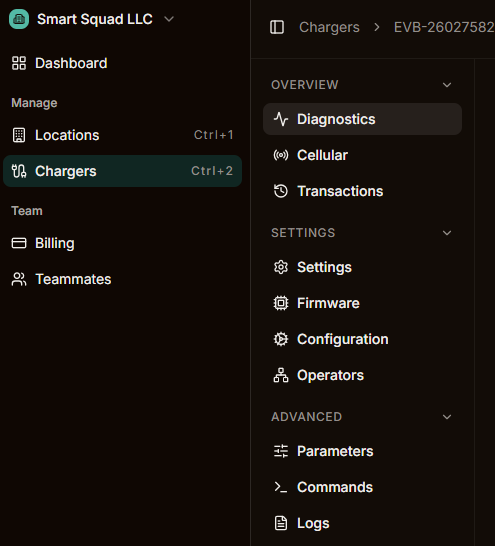
All chargers, locations and connectors in one dashboard with real-time status
Location management
Group chargers by site, assign operators and manage access rules per location
Transaction and energy data
Complete session records with exports for billing and reporting
Diagnostics
Remote diagnostics
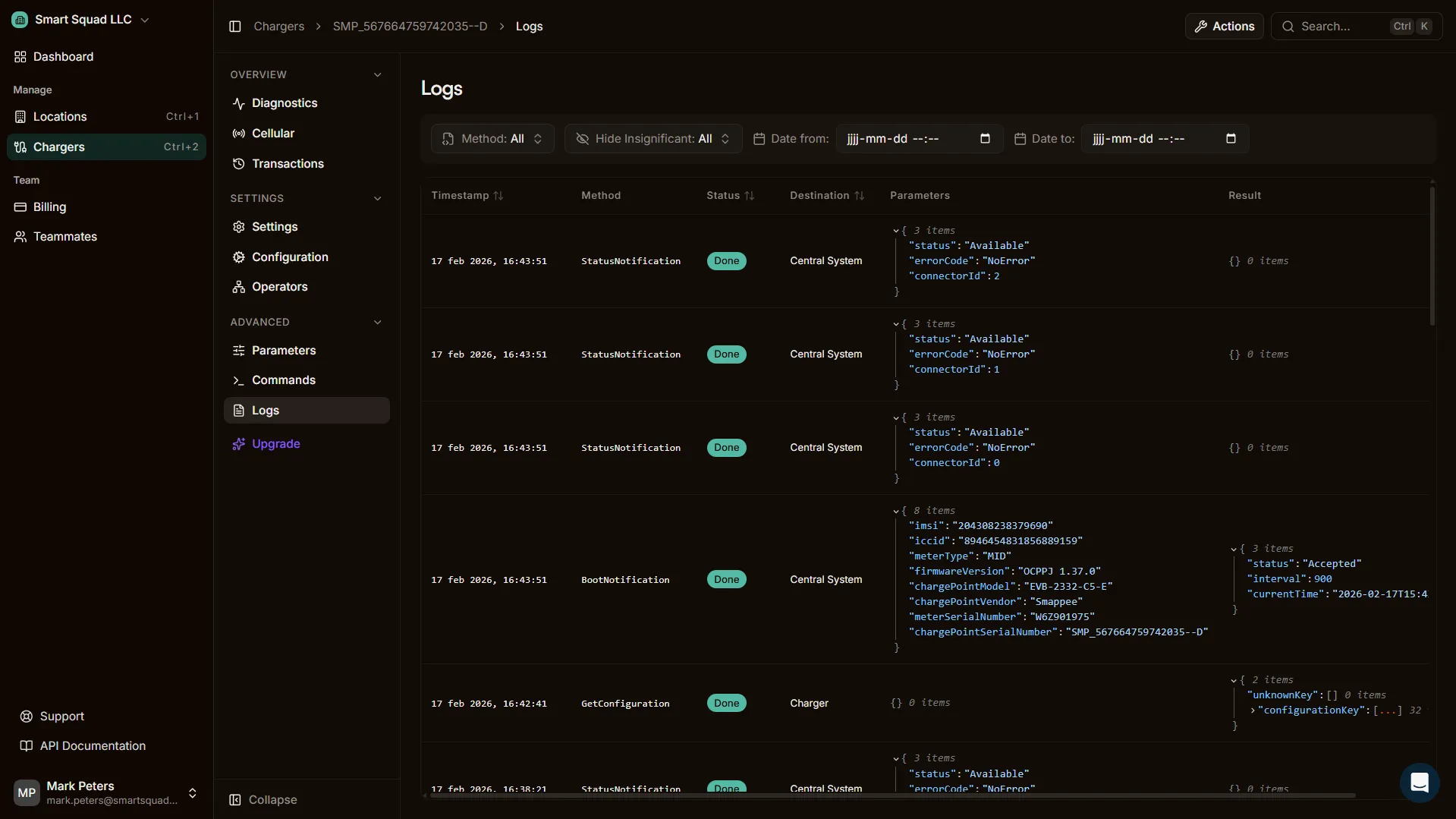
Full OCPP message logs, error tracking and remote troubleshooting without site visits
Real-time monitoring
Live charger status updates, connectivity tracking and session progress
Command execution
Send OCPP commands remotely: reset, unlock, change configuration, update firmware
Architecture
Multi-tenant
Separate environments per installer or CPO with configurable permissions and branding
Role-based access
Granular permissions for operators, installers, admins and end-users
White-label ready
Custom branding, colors and domain for every tenant in the platform
Smarter charging You're back in the race.
Your customers get intelligent charging without additional hardware or complex setup.
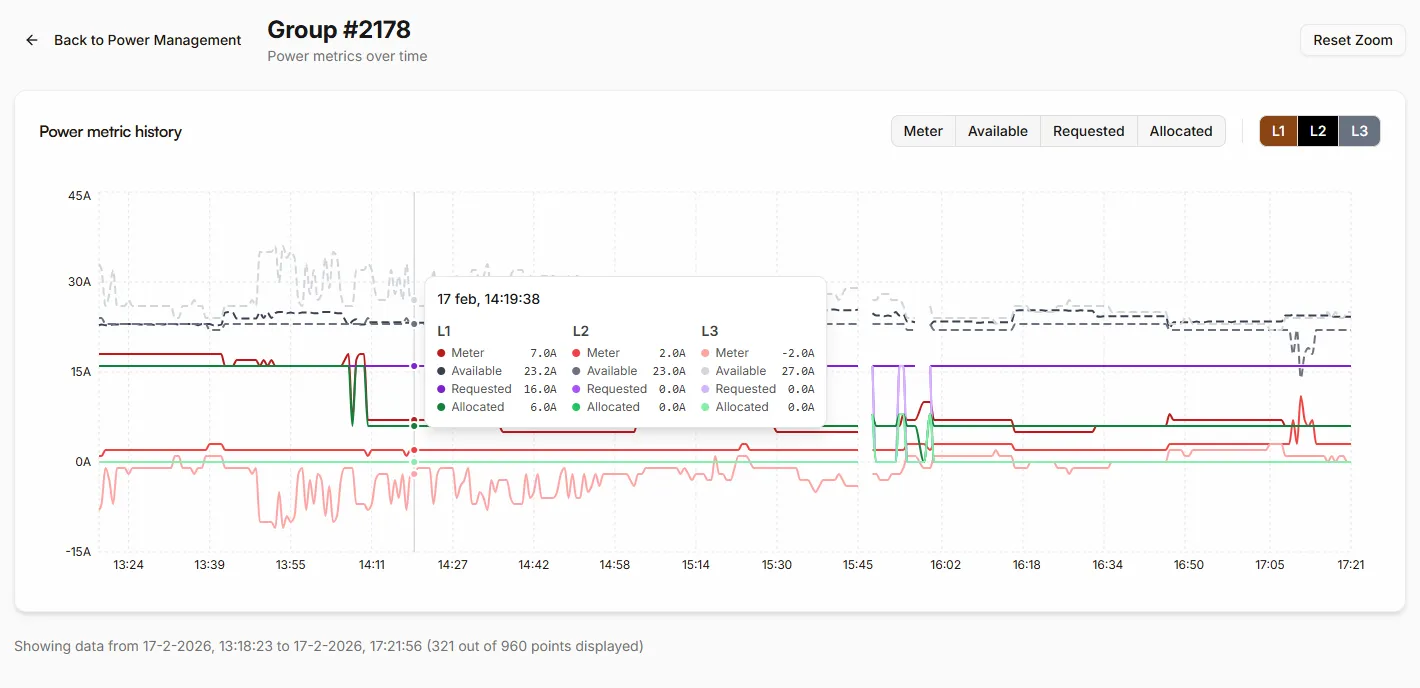
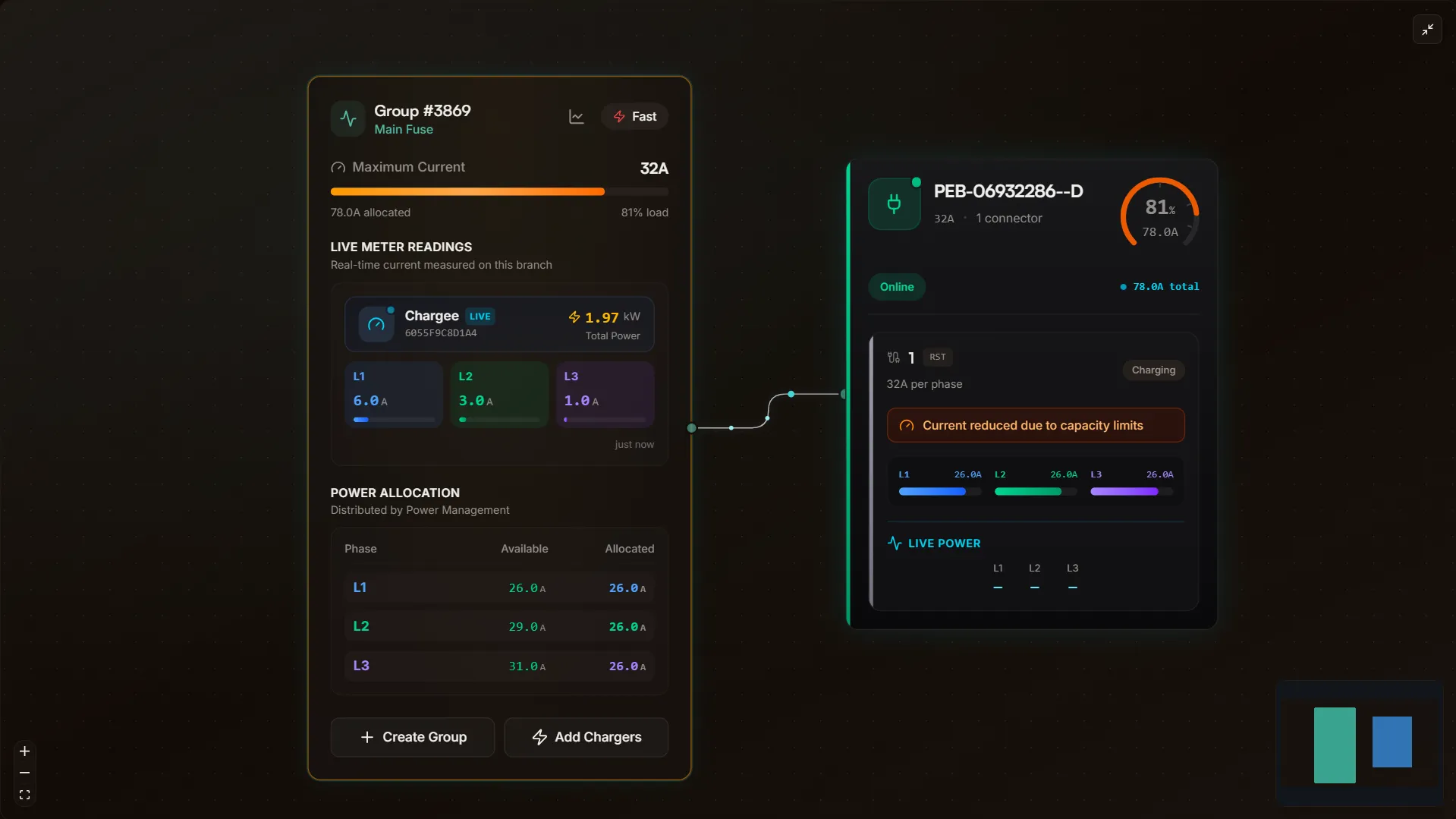
Load balancing
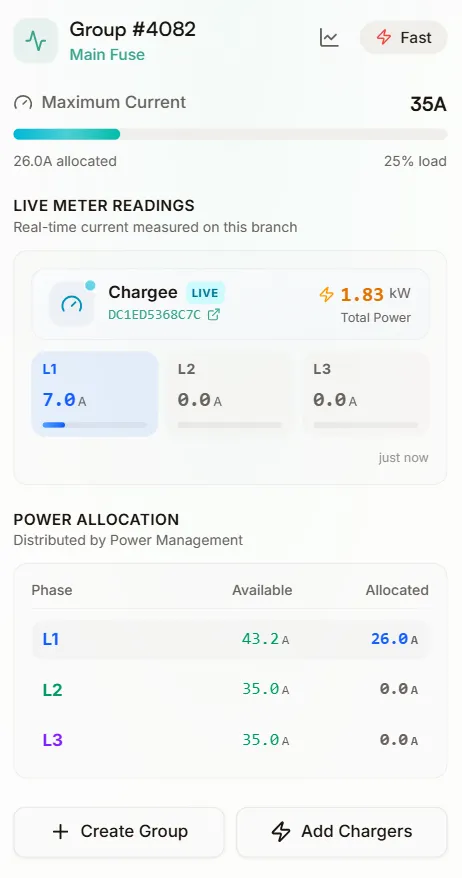
Distribute available power across chargers automatically. Phase-aware, no control wiring needed.
Solar-aware charging
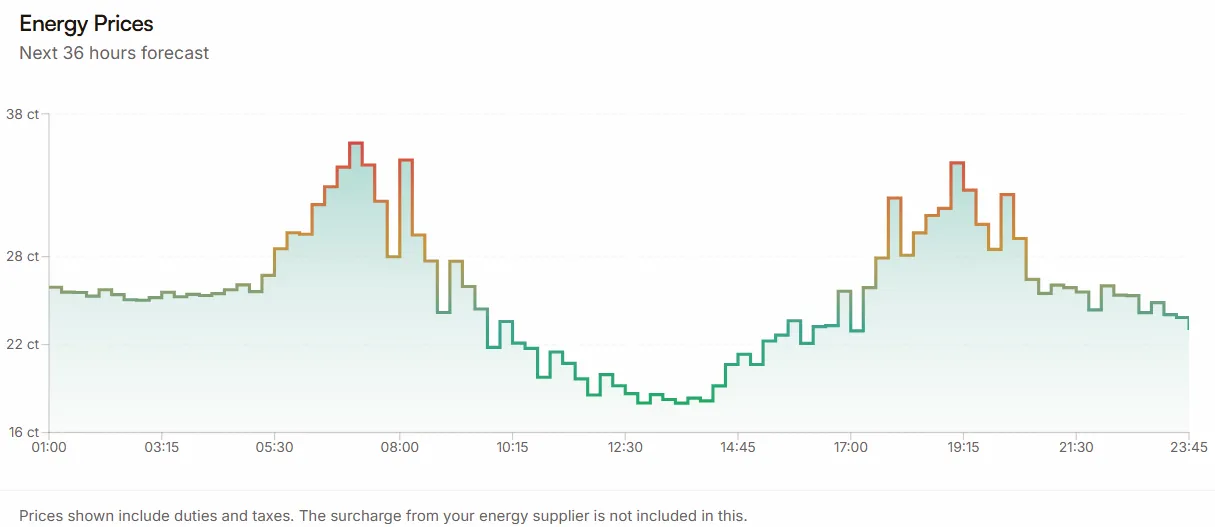
Balance solar production with charging demand. Prioritize self-consumption, reduce grid dependency.
Peak shaving
Protect circuits from overload. Include other loads in the calculation with a wireless energy meter.
Tariff-based charging
Dynamic pricing, scheduled charging and off-peak optimization. Your customers save on energy costs automatically.
Your control plane Portal, firmware and feature management.
OEM admin portal
Elevated controls separate from your customer accounts. Manage everything without asking for backoffice credentials.
Feature flags
Enable or disable platform capabilities per charger model or product line. Control what your customers can access.
Fleet-wide firmware overview
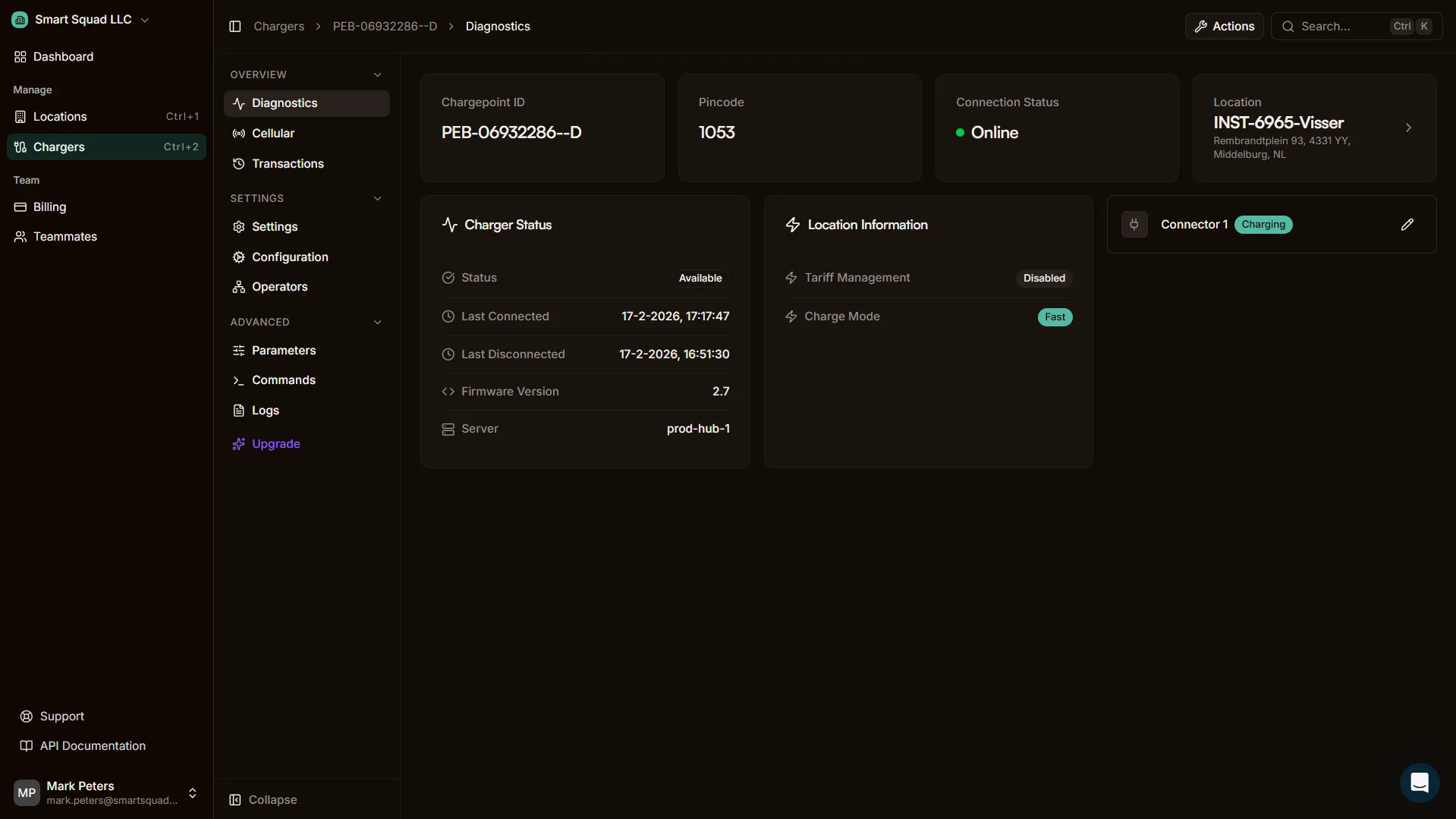
See which firmware version runs on every charger. Filter by model, location or version to identify update candidates.
Remote firmware updates
Trigger firmware updates remotely through the platform. Push to a test group first with staged rollouts, then deploy fleet-wide. Monitor progress and catch failures without site visits.
Support, your way Delegate or keep control.
You decide how support works for your customers.
Plugchoice handles support
We support your installers and end-users directly. Fast response times, full platform knowledge, and escalation paths back to your team when needed.
- Installer and end-user support included
- In-app support channel for end-users
- Escalation to your team for hardware issues
You handle support
Your team stays in control. Full access to diagnostics, logging, remote commands and session data. Everything you need to support your customers yourself.
- Complete diagnostic and logging tooling
- Remote OCPP commands and configuration
- Transaction and energy data exports
The bundle OEMs actually ship
A charger sells on what comes with it. Plugchoice packs the three things buyers ask for into the box, under your brand.
A free CSMS in the box
No per-charger platform fee to pass on to your customer or absorb in your margin.
An app that works on OCPP, not on lock-in
Your buyers get a real driver and installer app for the charger, and it keeps working whatever backend they choose later.
A public API underneath
Fleet software, energy platforms and your own tools build on the same documented REST API.
Two models, one platform Choose what fits your business.
Free model
Offer Plugchoice to your customers at no cost. Monetization happens through upsells and revenue share on paid features.
- Free baseline for all your customers
- Revenue share on Smart Charging upsells
- No upfront platform costs for your business
OEM-managed model
Keep all customer revenue and manage the full proposition yourself. You pay Plugchoice a recurring per-charger platform fee.
- Full control over customer pricing
- Own the commercial relationship end-to-end
- Predictable per-charger platform fee
White-label is available for both models. Mobile app white-label requires a separate agreement.
Talk to usExplore the platform Dig deeper into what's included.
Web Portal
Dashboard for installers and operators to manage chargers, locations and users
Learn moreMobile App
End-user app with charger control, smart charging and session history
Learn moreREST API
Programmatic access to chargers, sessions and energy data
Explore the APIOCPP Proxy
Route charger messages to any backoffice without replacing the current setup
Learn more