
Your Easee in the Plugchoice app.
Auto Connect adds your Easee through Easee's cloud. Then you control it from your phone and charge on solar or in the cheapest hours.
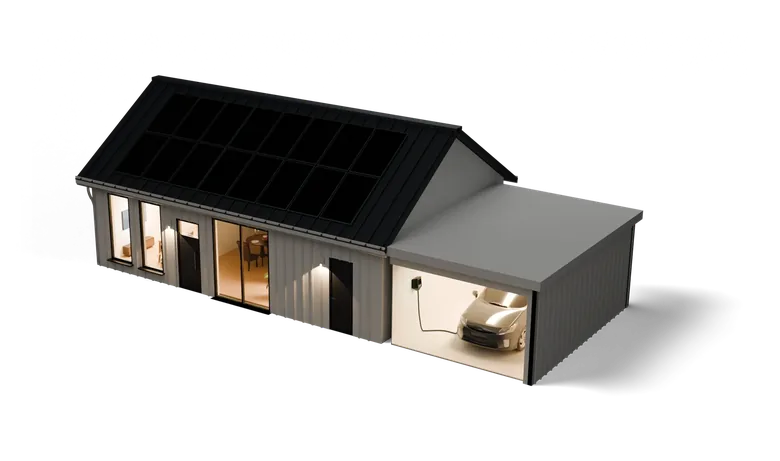
Charge on solar and in the cheapest hours
Pick an energy mode in the app. Charging on solar needs a meter on your main connection.
Control your Easee from your phone
Start and stop from the sofa
See what the car draws and stop charging whenever you like.
Lock your charger
While it is locked, nobody can start a session. Or turn on Autostart and charging starts when you plug in.
Your charge cards
Add your charge cards in the app. Cards work on every charger at your address.
Every session, with kWh
Each session shows when it started, the card, its kWh and how long it ran. Export them as a PDF or CSV file, for example for the company car.
Share your charger
Invite the people you live with, each with their own login. Everyone sees their own sessions.
Connect your Easee
Auto Connect adds your Easee through Easee's cloud, so nobody types an OCPP address or a charger ID.
CloudPlugchoiceBack officeCurrent operatorOCPPOCPPCloudPlugchoiceBack officeCurrent operatorOCPPOCPP- Sign in to EaseeEnter the email and password of the Easee account that owns the charger.
- Pick the chargerThe app lists the chargers on the account, with the operator each one has now.
- Plugchoice becomes its operatorPlugchoice adds the charger to your location and reads its charging history.
Or confirm Plugchoice as the operator in the Easee app and type the charger's serial number. Read the Easee guide
Easee chargers
Easee stops selling it in the EU after 31 October 2026.
No longer made.
Easee stops selling it in the EU after 31 October 2026.
Easee at a glance
From our integration records, checked on 12 October 2026. Contact details checked on 9 October 2026.
The integration
- What it is
- AC chargers for home and business
- Connects through
- OCPP 1.6J, through Easee's cloud
- On Plugchoice
- Confirmed all six models
- Auto Connect
- Every model, through Easee's cloud
- Connect guide
- How to connect Easee
Easee
- Company
- Easee AS
- Founded
- 2018
- Head office
- Easee AS, Vassbotnen 23, 4033 Stavanger, Norway
- Website
- easee.com
Contact
- Support page
- support.easee.com/hc/nl/p/contact-page
- Help center
- support.easee.com/hc/nl
- Languages
- Dutch, German, English, French, Norwegian, Swedish
- Their app
- Easee app
Questions about Easee
The One, Charge Up, Charge Max, Charge Lite, Charge Core and Charge Pro. We tested all six with Plugchoice.
Through Easee's cloud. Sign in with the Easee account that owns the charger and pick the charger. Plugchoice becomes its operator at Easee, and the charger usually comes online within a minute. Plugchoice does not keep your Easee password.
Yes. Confirm Plugchoice as the operator in the Easee app, then type the charger's serial number: 8 letters and digits starting with E, on the label and in the Easee app. Read the Easee guide
It brings over your past sessions when you sign in to Easee. You add your charge cards in the app.
A charger on a site that another operator manages cannot be switched from the owner's Easee account. The app then offers the Easee app instead. If neither way works, set the charger up by hand as another OCPP charger, with the OCPP address ws://ocpp.plugchoice.com.
Easee is narrowing its EU range to Charge Max and Charge Pro. Charge Core and Charge Up can be ordered there until 31 October 2026. Read the news
Yes. Plugchoice passes the connection on to the back office your Easee already uses, so it keeps billing your sessions. How the OCPP proxy works
Yes, with Smart Charging. Load balancing and charging on solar need a meter on your main connection. How smart charging works
Plugchoice is free for every charger. Smart Charging is from €25 a year per socket. See pricing
Download the app
Add your Easee with Auto Connect and control it from your phone.
About this page
Easee and the Easee logo are trademarks of their respective owner. All other names, logos and trademarks are the property of their respective owners. This page is published independently by Plugchoice and is not affiliated with, endorsed by or sponsored by Easee AS. Every detail about Easee was taken from our integration records and the sources below, and was accurate to the best of our knowledge on 12 October 2026. Products and terms change, so please confirm the current details with Easee AS before relying on them.
Sources: Our integration list, Easee's own spec sheets and product pages, Our developer docs on Easee, How to connect Easee, Our news on Easee's EU range, Our manufacturer records and Our partner directory.