为什么 Chargee 电表 天然契合 Plugchoice
Chargee 是一家荷兰能源公司,直接读取智能电表和逆变器,并把数据放到 Plugchoice 可以使用的地方。
Chargee 电表逐秒告诉 Plugchoice 还有多少并网容量可用,因此建筑用电低时充电加快、用电高时放缓。Sparky 是简单的 P1 适配器,Flint 则是面向配有子表或逆变器的商业站点的网关。
认识这两款电表 为 Plugchoice 提供站点实时读数的两种方式
Chargee 生产两款可与 Plugchoice 配合的电表。Sparky 是面向家庭和小型站点的简单 P1 适配器。Flint 是面向配有 Modbus、以太网或 4G 的商业站点的网关。
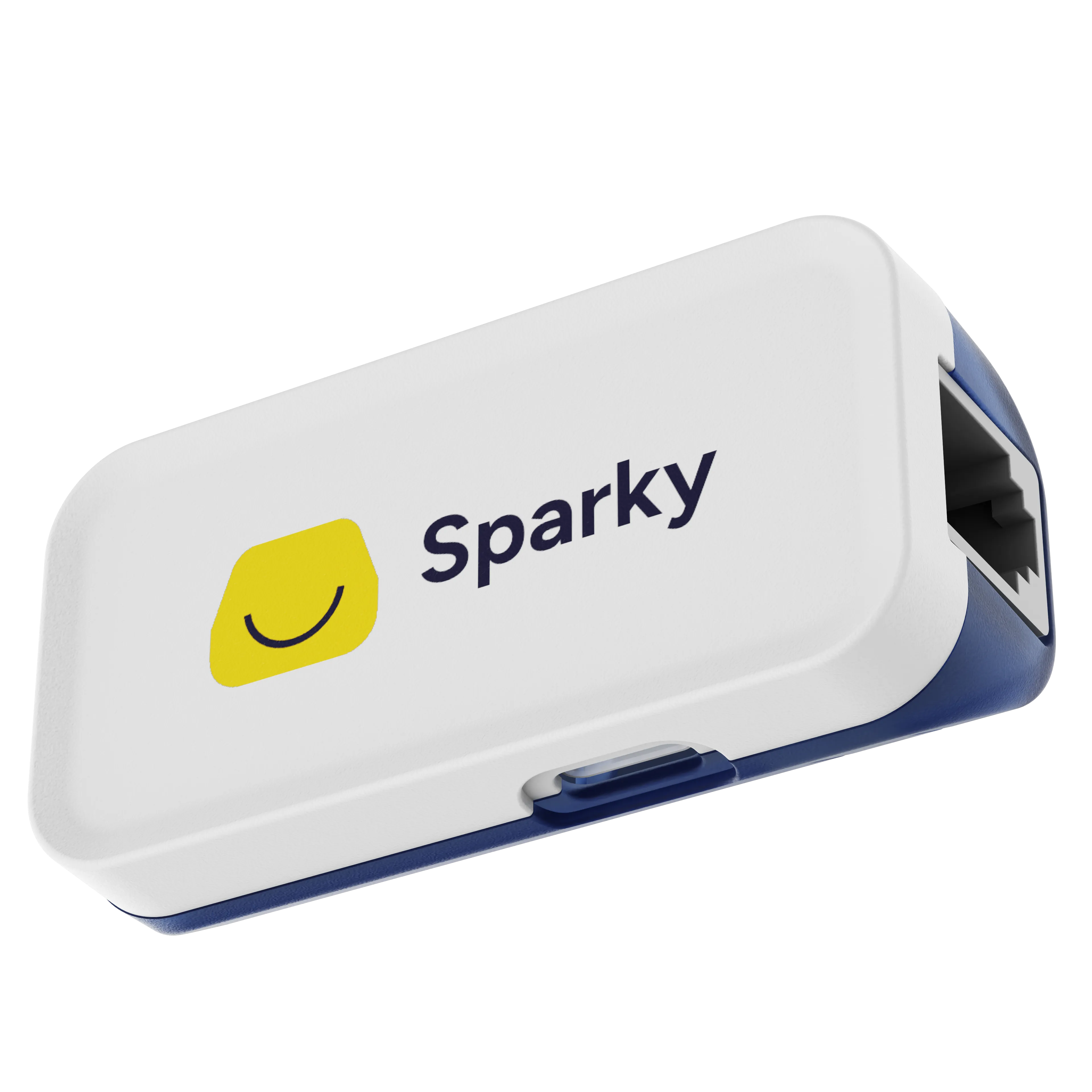
Sparky
适用于家庭和小型站点可卡接的 P1 适配器
- P1 / HAN,(D)SMR4.0 及更高
- Wi-Fi 2.4 GHz
- USB-C 供电,含适配器
- 内置 P1 分线器
- 一分钟自行安装,无需电工
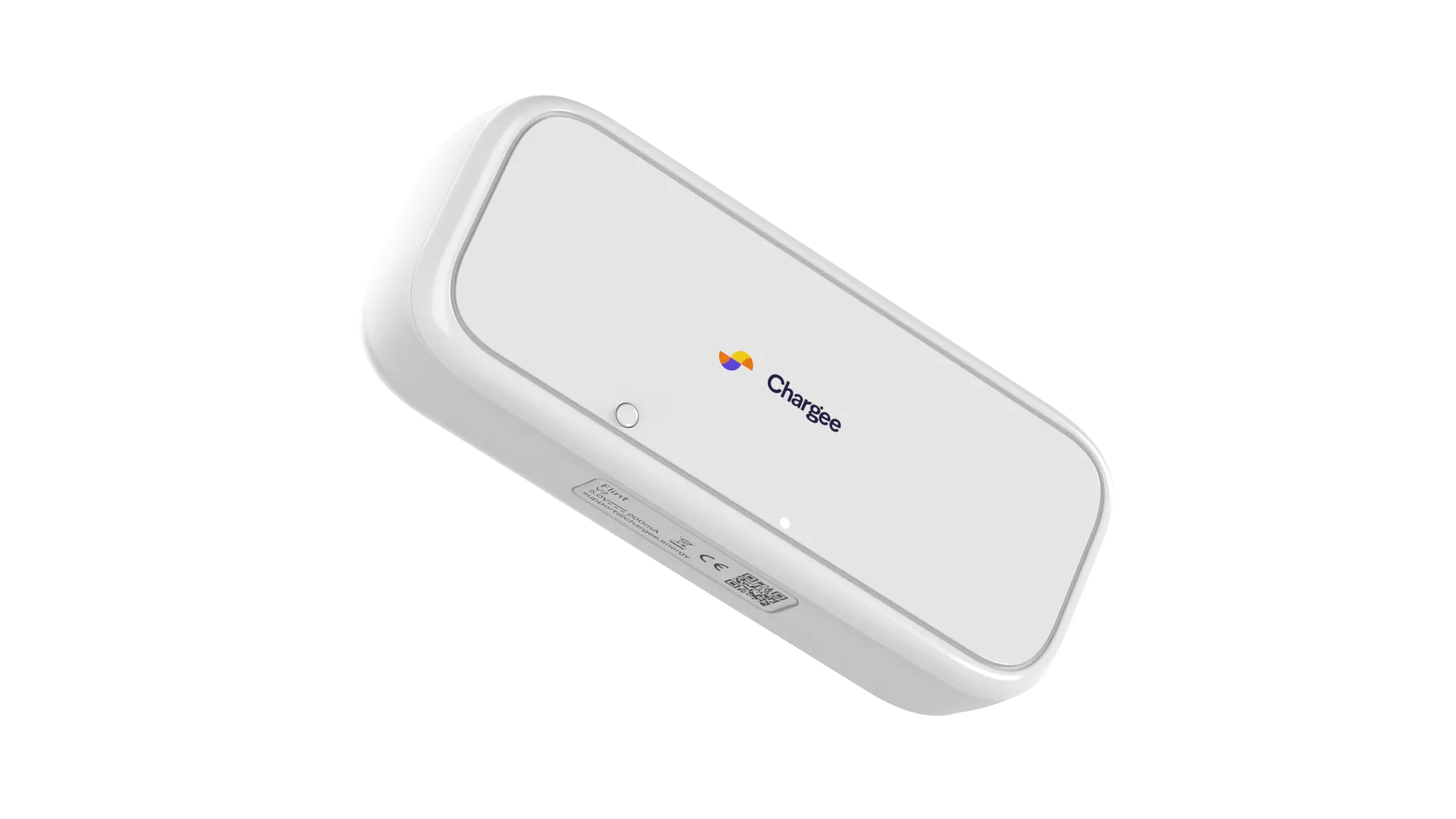
Flint
适用于商业站点和安装商专业网关
- P1、HAN 和 Modbus(SMR4.0+)
- 以太网 RJ45、Wi-Fi 2.4 GHz、可选 4G
- Modbus RS485,用于子表和逆变器
- 兼容 SolarEdge、Growatt、Alfen 等
- 通过 ISO 27001 认证
延伸阅读 Chargee 与 Plugchoice 的一切,集于一处
真实场景中的 Chargee 卡上、插入、查看
Sparky 卡接到智能电表上,Flint 安置在电表柜中,而 Chargee 应用让整栋建筑有了面貌。此后 Plugchoice 一并读取。

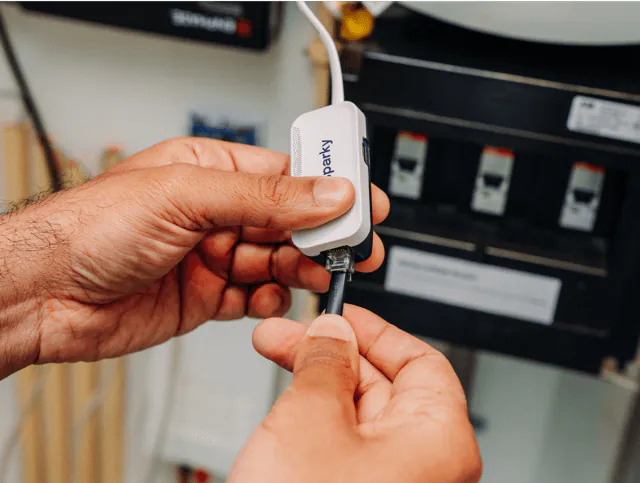

图片:Chargee
你究竟何时需要电表 在 Plugchoice 上
Plugchoice 把智能充电分为两项任务。Chargee 电表对其中一项重要,对另一项则不然。了解这一区别,你就知道究竟何时需要安装硬件。
功率管理所需
功率管理,也称负载均衡,把一个并网接入点在建筑与充电桩之间分配。Plugchoice 只有在知道建筑实时用电时才能安全地做到这一点,而这个数字只能来自电表。
- Sparky 或 Flint 上报建筑的实时功率和上网电量
- Plugchoice 从并网上限中减去它以找出可用容量
- 充电功率随建筑负载上下波动,分相进行
- 光伏余电充电基于同一份实时读数运行
电价管理不需要
电价管理决定何时充电便宜,并把会话安排到这些时段。它依据能源价格和排程运行,而非电表数据。动态和固定电价无需安装电表即可在 Plugchoice 上运行。
- 动态和固定电价依据价格数据和时段运行
- 夜间电价和定时充电无需额外硬件
- 电表对精确的成本和能耗报表仍然有用
- 一旦你也想要负载均衡,随时添加 Chargee 电表
你将获得什么 在 Plugchoice 上配一台 Chargee 电表
电网感知的负载均衡
Plugchoice 读取电表并将总功率保持在并网容量之下,建筑用电一变低就提高充电速度。
分相保护
Sparky 和 Flint 分别上报每一相,因此 Plugchoice 可回调单独一相的负载,而非限制整台充电桩。
光伏感知充电
两款电表都测量上网电量,因此 Plugchoice 可优先选择建筑向电网输出光伏电力的时段。
保留一个空闲 P1 端口
内置的旁路让动态供电商的适配器或 Chargee 应用在同一电表上与 Plugchoice 并行工作。
为更大站点提供 Modbus
在 Flint 上,Modbus RS485 把子表和逆变器纳入视野,使商业站点获得一个完整全貌。
几分钟内自行安装
Sparky 通过 USB-C 卡接到 P1 端口,无需电工。Flint 另外提供以太网、Wi-Fi 和可选 4G 调制解调器,适用于更复杂的场所。
你将获得的一切 在 Plugchoice 上
当你的充电桩在 Plugchoice 上运行的那一刻,这一切都随之而来,立即生效。几乎全部免费,永久 €0。只有少数标注的附加项需要额外付费。
Smart Charging 和 Billing 按充电桩计费。Partner Program 只是按公司收取的固定平台费,而非按充电桩收费,并解锁其所在列的全部内容。
查看完整价格OCPP Proxy
功率管理
账单与开票
- 按充电会话自动开票账单与开票 | €5.95/月/evse
- 为员工的家庭充电报销账单与开票 | €5.95/月/evse
- 按用户和按卡分摊成本账单与开票 | €5.95/月/evse
- 采用您自有品牌、符合增值税要求的发票账单与开票 | €5.95/月/evse
- 可直接用于记账的导出账单与开票 | €5.95/月/evse
支持
- 应用内聊天和邮件支持
- 帮助中心
- 优先响应合作伙伴计划 | €29/月/account
- 定制 SLA定制 | 联系我们
告警
- 自动告警合作伙伴计划 | €29/月/account
- 工单状态、负责人与升级处理合作伙伴计划 | €29/月/account
- 自动问题处理合作伙伴计划 | €29/月/account
品牌定制
- 白标 Web 门户合作伙伴计划 | €29/月/account
- 带 SSL 的自定义域名合作伙伴计划 | €29/月/account
- 白标应用定制 | 联系我们
收益与商务
- 智能充电收益分成合作伙伴计划 | €29/月/account
- 账单与开票收益分成合作伙伴计划 | €29/月/account
- VPP 和 ERE 收益分成合作伙伴计划 | €29/月/account
- 虚拟货架位定制 | 联系我们
- 联合营销定制 | 联系我们
能源证书 (ERE)
如何添加 Chargee 电表 到你的 Plugchoice 站点
选择 Sparky 或 Flint
家庭或单台智能电表的小型站点选 Sparky。配有 Modbus 子表、逆变器或需要 4G 备用的商业站点选 Flint。
连接到智能电表
将设备插入智能电表的 P1 端口,并按照 Chargee 应用将其接入 Wi-Fi 或以太网。他们的安装指南涵盖两款电表。
在 Plugchoice 中添加
在门户中打开该站点,将电表添加到主保险丝下。门户会在一分钟内开始读取它。
开启负载均衡
设置并网接入上限并开启功率管理。充电现在会跟随实时电表数据。Plugchoice 支持中心的电表指南提供完整操作步骤。
Chargee 电表最适合的场景
家用充电桩配 Sparky
在容量较小的并网接入点上的单台壁挂桩,Sparky 可释放每一安培余量,而不是以固定的低速充电。
小型企业配 Sparky
拥有几台充电桩的商店或办公室即可获得完整的负载均衡,无需电工打开电表柜。
车队站点或办公园区配 Flint
多台充电桩、子表和光伏逆变器通过 Modbus 和以太网汇聚到一台 Flint 网关,供 Plugchoice 读取。
Wi-Fi 不稳定处配 Flint
户外站点、乡村建筑和变电站通过以太网或可选 4G 调制解调器运行 Flint,让电表保持在线。
常见问题
使用 Plugchoice 需要 Chargee 电表吗?
不需要。在 Plugchoice 上管理充电桩是免费的,且无需任何电表即可运行。当你想要功率管理时才需要电表,它会让充电与建筑的实时用电保持平衡。Plugchoice 支持中心的电表指南提供完整说明。
电价管理需要电表吗?
不需要。按电价和动态价格充电依据能源价格和排程运行,而非电表数据。只有功率管理才需要电表,因此你可以先从电价开始,之后再添加 Chargee 电表。
我该选哪款 Chargee 电表?
Sparky 是家庭和拥有单台智能电表及 Wi-Fi 的小型站点的简单之选。Flint 是面向配有 Modbus 子表、逆变器,或需要以太网或 4G 的商业站点的网关。
我可以保留能源供应商的 P1 适配器吗?
可以。Sparky 和 Flint 都带有 P1 分线器,因此你动态能源供应商的适配器可在同一电表上与它们并行工作。
它们支持哪些智能电表?
两款电表都连接到 (D)SMR4.0 及更高版本智能电表的 P1 端口。Chargee 已在荷兰全网及比利时 HAN 端口上测试过它们。Flint 还引入 Modbus 以接入子表和逆变器。
电表会接线到充电桩吗?
不会。Chargee 电表位于建筑主保险丝处,通过互联网将其读数发送给 Plugchoice。电表与充电桩之间没有物理连接,因此两者可位于站点的任意位置。
Plugchoice 会分别平衡每一相吗?
会。Sparky 和 Flint 分别上报每一相,因此 Plugchoice 按最不利的一相进行调整,并回调单独一相的负载,而非限制整台充电桩。汽车始终保持至少法定的 6 A 最低值。
如果电表掉线会怎样?
Plugchoice 会发现数据已停止,并回退到安全的固定充电速度,即静态负载均衡底线。如果中断是暂时的,一旦电表重新发送数据,动态负载均衡会自动恢复。这取决于该电表连接持续可用。
我在哪里购买 Chargee 电表?
可在 shop.chargee.energy 直接向 Chargee 订购 Sparky。Flint 和其他专业设备在 Chargee for professionals 网站上。安装商通常也有库存,Plugchoice 支持中心关于 Chargee 电表的文章涵盖订购与设置。
登记服务商,客户、数据一次接入
一次接入 Plugchoice,不必为每个 CPO 或充电桩品牌分别接入。客户在平台上选择您,会话数据以标准化格式流入。
通过 OAuth 获客
终端用户直接授权您。Plugchoice 负责同意管理与撤回。
可直接用于审核的数据
MID 电表数据、EAN、会话级明细。一个 API,一种格式。
标准化的充电数据
Plugchoice 将所有 OCPP 品牌映射到同一结构。无需为每个品牌写解析器。
现有客户群
Plugchoice 将您的服务展示给平台上的充电桩业主。无需冷启动开发。
一次接入,覆盖所有 CPO
无需为每个 CPO 或后台单独对接。Plugchoice 处于中间层。
关于本页面
Chargee 及 Chargee 标识为其各自所有者的商标。所有其他名称、标识和商标归各自所有者所有。本页面由 Plugchoice 独立发布,不附属于 Chargee,也未获 Chargee 认可或赞助。所有关于 Chargee 的信息均来自公开渠道,并在所示日期内据我们所知准确无误。规格和功能经常变动,请在依赖之前与制造商核实最新信息。