La gestion de la puissance sur Plugchoice avec les compteurs Chargee
Chargee fabrique les compteurs que Plugchoice lit dès que vous activez la gestion de la puissance. Leur dongle P1 Sparky et la passerelle Flint donnent à chaque site, de la maison au dépôt, une vue en direct de la puissance réseau encore disponible.
Pourquoi les compteurs Chargee s'accordent naturellement avec Plugchoice
Chargee est une entreprise énergétique néerlandaise qui lit directement les compteurs intelligents et les onduleurs, puis place les données là où Plugchoice peut les utiliser.
Un compteur Chargee indique à Plugchoice, seconde par seconde, la puissance réseau disponible, de sorte que la recharge accélère quand le bâtiment est calme et ralentit quand il est sollicité. Sparky est le dongle P1 simple, Flint la passerelle pour les sites commerciaux avec sous-compteurs ou onduleurs.
Découvrez les compteurs deux façons de donner à Plugchoice une lecture en direct de votre site
Chargee fabrique deux compteurs qui fonctionnent avec Plugchoice. Sparky est le dongle P1 simple pour les maisons et petits sites. Flint est la passerelle pour les sites commerciaux avec Modbus, Ethernet ou 4G.
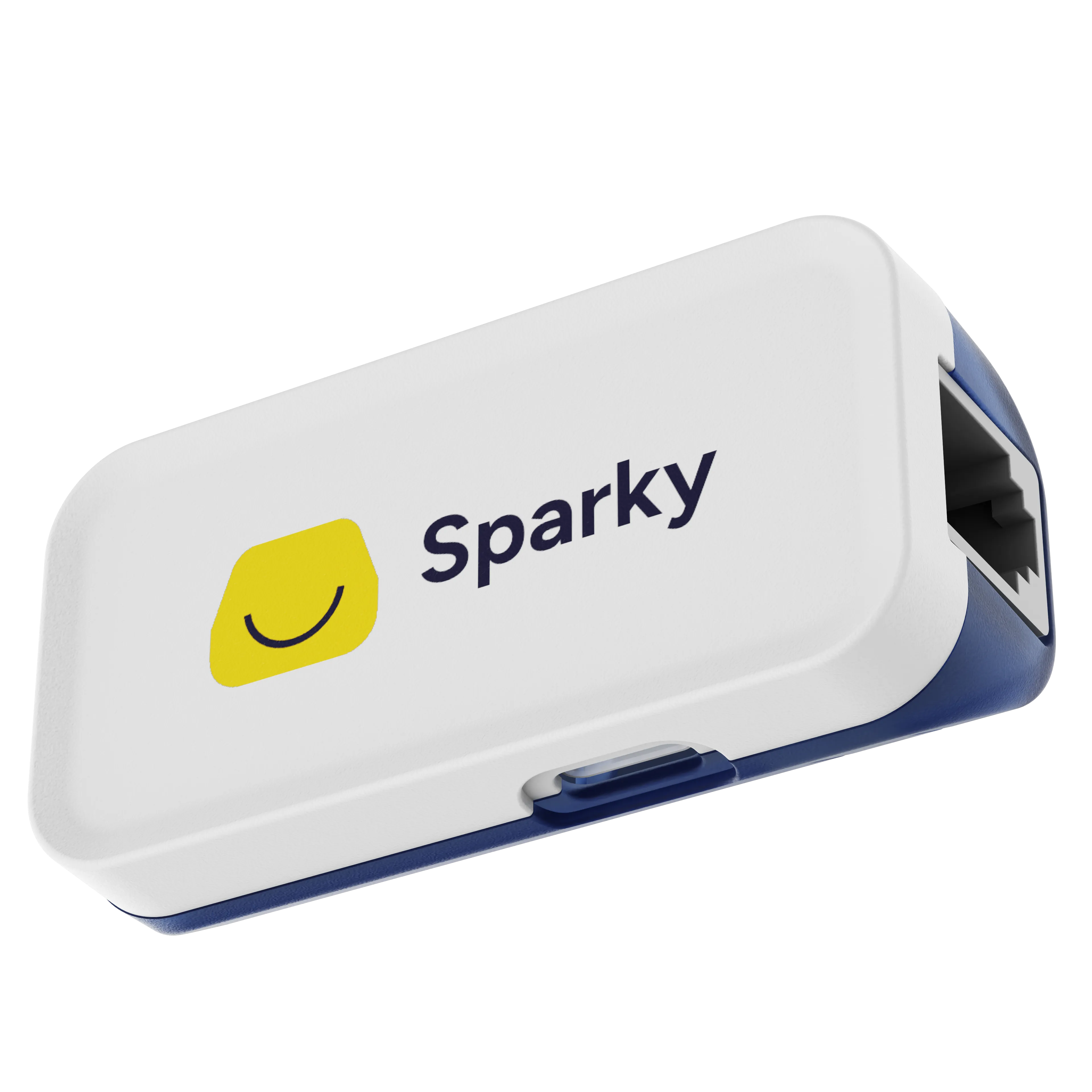
Sparky
Pour les maisons et petits sitesLe dongle P1 à clipser
- P1 / HAN, (D)SMR4.0 et supérieur
- Wi-Fi 2,4 GHz
- Alimenté en USB-C, adaptateur inclus
- Répartiteur P1 intégré
- Auto-installation en une minute, sans électricien
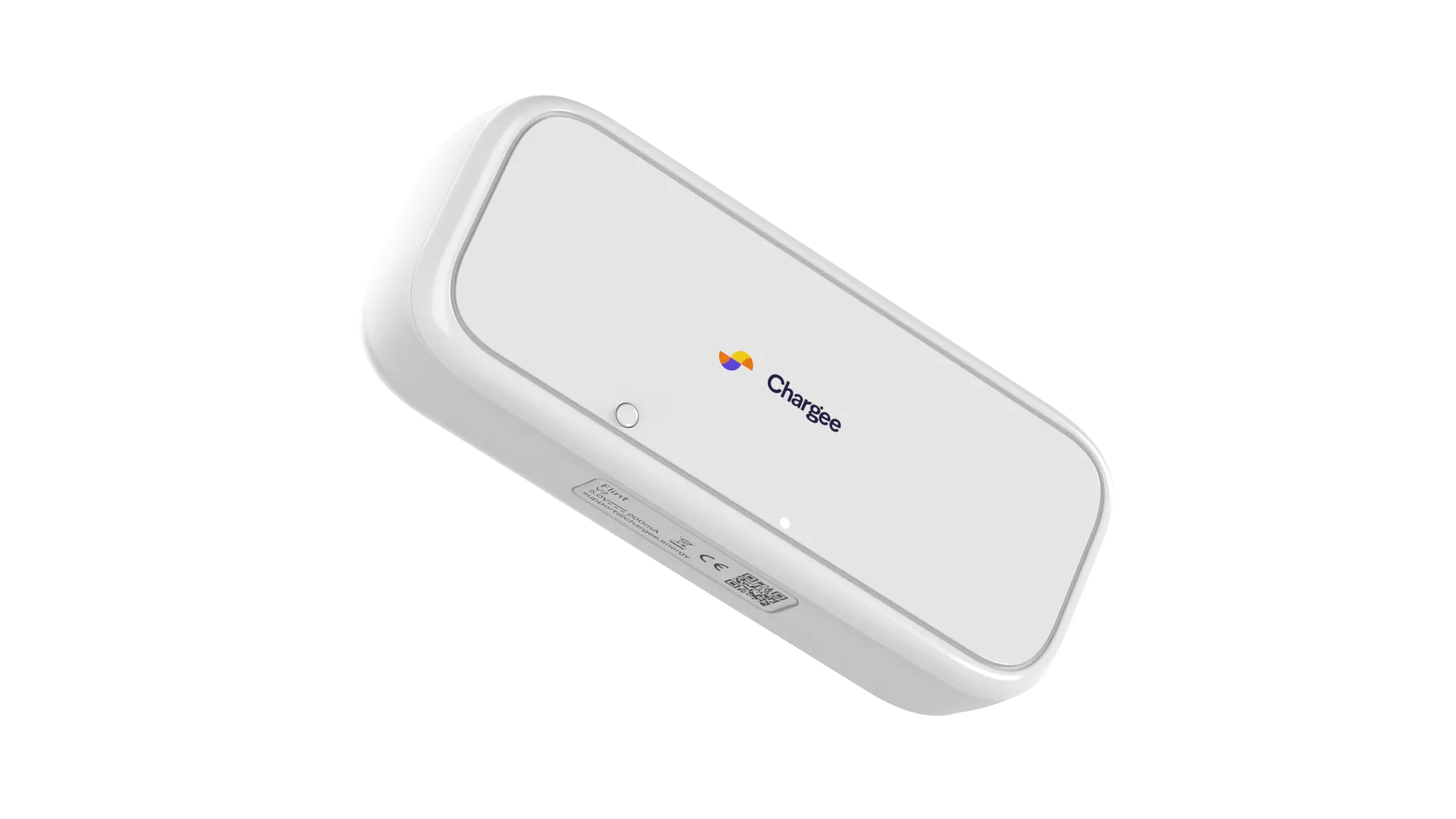
Flint
Pour les sites commerciaux et les installateursLa passerelle professionnelle
- P1, HAN et Modbus (SMR4.0+)
- Ethernet RJ45, Wi-Fi 2,4 GHz, 4G en option
- Modbus RS485 pour sous-compteurs et onduleurs
- Compatible avec SolarEdge, Growatt, Alfen et plus
- Certifié ISO 27001
Pour aller plus loin tout sur Chargee et Plugchoice, au même endroit
Chez Plugchoice
Chargee dans la vraie vie clipsez, branchez, observez
Sparky se clipse sur le compteur intelligent, Flint prend place dans le coffret, et l'app Chargee donne un visage à tout le bâtiment. À partir de là, Plugchoice lit en parallèle.

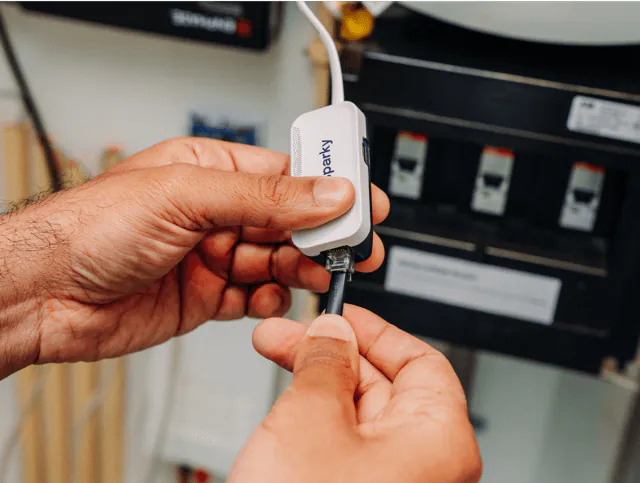
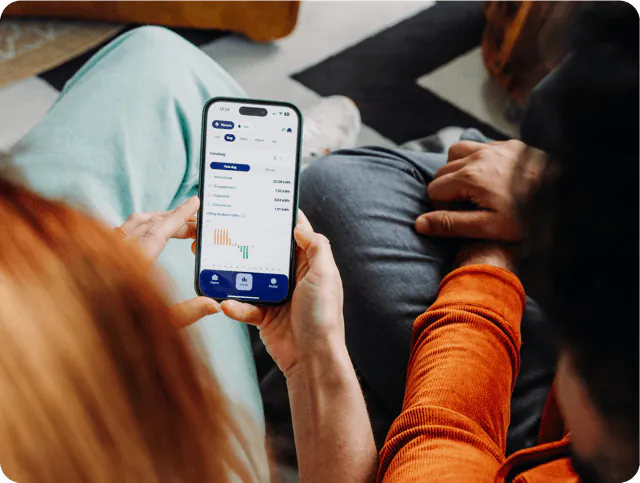
Images : Chargee
Quand vous avez vraiment besoin d'un compteur sur Plugchoice
Plugchoice divise la recharge intelligente en deux tâches. Un compteur Chargee compte pour l'une et pas pour l'autre. Connaître la différence vous dit quand vous devez réellement installer du matériel.
Nécessaire pour la gestion de la puissance
La gestion de la puissance, aussi appelée équilibrage de charge, partage un seul raccordement réseau entre le bâtiment et les bornes. Plugchoice ne peut le faire en toute sécurité que s'il connaît la consommation en temps réel du bâtiment, et ce chiffre ne peut venir que d'un compteur.
- Sparky ou Flint rapporte la puissance en direct et l'injection du bâtiment
- Plugchoice la soustrait de la limite réseau pour trouver la capacité libre
- La puissance de charge suit la charge du bâtiment, à la hausse et à la baisse, par phase
- La recharge sur surplus solaire fonctionne à partir de la même mesure en direct
Inutile pour la gestion des tarifs
La gestion des tarifs décide quand la recharge est bon marché et déplace les sessions vers ces heures. Elle fonctionne sur les prix de l'énergie et les plannings, pas sur les données de compteur. Les tarifs dynamiques et fixes fonctionnent sur Plugchoice sans compteur installé.
- Les tarifs dynamiques et fixes fonctionnent à partir des prix et de l'heure
- La recharge en heures creuses ou programmée ne demande aucun matériel supplémentaire
- Un compteur reste utile pour un reporting précis des coûts et de l'énergie
- Ajoutez un compteur Chargee dès que vous voulez aussi l'équilibrage de charge
Ce que vous obtenez avec un compteur Chargee sur Plugchoice
Équilibrage de charge conscient du réseau
Plugchoice lit le compteur et maintient la puissance totale sous le raccordement réseau, en augmentant la vitesse de recharge dès que le bâtiment se calme.
Protection par phase
Sparky et Flint rapportent chaque phase séparément, donc Plugchoice peut réduire une seule phase chargée au lieu de brider toute la borne.
Recharge consciente du solaire
Les deux compteurs mesurent aussi l'injection, donc Plugchoice peut privilégier les heures où le bâtiment exporte de l'énergie solaire vers le réseau.
Un port P1 libre maintenu ouvert
Le passage intégré permet à un dongle de fournisseur dynamique ou à l'app Chargee de continuer à fonctionner aux côtés de Plugchoice sur le même compteur.
Modbus pour les sites plus grands
Sur Flint, le Modbus RS485 intègre les sous-compteurs et les onduleurs, pour que les sites commerciaux obtiennent une vue d'ensemble complète.
Une auto-installation en quelques minutes
Sparky se clipse sur le port P1 via USB-C sans électricien. Flint ajoute l'Ethernet, le Wi-Fi et un modem 4G optionnel pour les emplacements plus difficiles.
Tout ce que vous obtenez sur Plugchoice
Dès que vos bornes tournent sur Plugchoice, tout cela vient avec, instantanément. Presque tout est gratuit, €0 pour toujours. Seuls les rares add-ons signalés coûtent un supplément.
Smart Charging et Billing sont facturés par borne. Le Partner Program n'est qu'un forfait de plateforme par entreprise, sans coût par borne, et débloque tout ce qui figure dans sa colonne.
Voir tous les tarifsGestion des bornes
Sites et équipes
Cartes de recharge et transactions
Interfaces
Proxy OCPP
Gestion de l'énergie
- Équilibrage de charge dynamiqueCharge intelligente | à partir de €1,23/mois/evse
- Charge sur surplus solaireCharge intelligente | à partir de €1,23/mois/evse
- Écrêtage des pointesCharge intelligente | à partir de €1,23/mois/evse
- Partage de puissanceCharge intelligente | à partir de €1,23/mois/evse
- Planification du démarrage/arrêtCharge intelligente | à partir de €1,23/mois/evse
- Prise en charge des compteurs sans filCharge intelligente | à partir de €1,23/mois/evse
- Configurateur de puissance visuelCharge intelligente | à partir de €1,23/mois/evse
Gestion des tarifs
- Tarifs dynamiquesCharge intelligente | à partir de €1,23/mois/evse
- Charge programméeCharge intelligente | à partir de €1,23/mois/evse
Facturation
- Facturation automatique par session de rechargeFacturation | €5,95/mois/evse
- Rembourser les employés pour la recharge à domicileFacturation | €5,95/mois/evse
- Répartition des coûts par utilisateur et par carteFacturation | €5,95/mois/evse
- Factures conformes à la TVA à votre image de marqueFacturation | €5,95/mois/evse
- Exports prêts pour la comptabilitéFacturation | €5,95/mois/evse
Support
- Support par chat intégré et e-mail
- Centre d'aide
- Réponse prioritaireProgramme Partenaire | €29/mois/account
- SLA sur mesureSur mesure | Contactez-nous
Alertes
- Alertes automatiquesProgramme Partenaire | €29/mois/account
- États de tickets, attributions et escaladeProgramme Partenaire | €29/mois/account
- Résolution automatique des problèmesProgramme Partenaire | €29/mois/account
Image de marque
- Portail web en marque blancheProgramme Partenaire | €29/mois/account
- Domaine personnalisé avec SSLProgramme Partenaire | €29/mois/account
- Application en marque blancheSur mesure | Contactez-nous
Revenus et commercial
- Partage de revenus sur la Charge intelligenteProgramme Partenaire | €29/mois/account
- Partage de revenus sur la FacturationProgramme Partenaire | €29/mois/account
- Partage de revenus sur VPP et EREProgramme Partenaire | €29/mois/account
- Espace de vente virtuelSur mesure | Contactez-nous
- Marketing conjointSur mesure | Contactez-nous
Comment ajouter un compteur Chargee à votre site Plugchoice
Choisissez Sparky ou Flint
Utilisez Sparky pour une maison ou un petit site sur un seul compteur intelligent. Choisissez Flint pour un site commercial avec sous-compteurs Modbus, onduleurs ou un repli 4G.
Connectez-vous au compteur intelligent
Branchez l'appareil sur le port P1 du compteur intelligent et suivez l'app Chargee pour le mettre en Wi-Fi ou Ethernet. Leurs guides d'installation couvrent les deux compteurs.
Ajoutez-le dans Plugchoice
Dans le portail, ouvrez le site et ajoutez le compteur sous le fusible principal. Le portail commence à le lire en moins d'une minute.
Activez l'équilibrage de charge
Définissez la limite du raccordement réseau et activez la gestion de la puissance. La recharge suit désormais les données du compteur en direct. Le guide des compteurs dans le support Plugchoice détaille toute la marche à suivre.
Où les compteurs Chargee s'intègrent le mieux
Sparky pour une borne à domicile
Une seule wallbox sur un petit raccordement réseau permet à Sparky de libérer chaque ampère disponible au lieu de recharger à une vitesse basse fixe.
Sparky pour une petite entreprise
Un magasin ou un bureau avec quelques bornes obtient un équilibrage de charge complet, sans qu'un électricien ouvre le coffret du compteur.
Flint pour un dépôt ou un parc de bureaux
Plusieurs bornes, sous-compteurs et onduleurs solaires arrivent sur une seule passerelle Flint via Modbus et Ethernet, prêts pour la lecture par Plugchoice.
Flint là où le Wi-Fi est faible
Les sites extérieurs, les bâtiments ruraux et les postes de transformation utilisent Flint en Ethernet ou via le modem 4G optionnel, pour que le compteur reste en ligne.
Questions fréquentes
Ai-je besoin d'un compteur Chargee pour utiliser Plugchoice ?
Non. La gestion des bornes sur Plugchoice est gratuite et fonctionne sans aucun compteur. Vous avez besoin d'un compteur dès que vous voulez la gestion de la puissance, qui équilibre la recharge par rapport à la consommation en temps réel du bâtiment. Le guide des compteurs dans le support Plugchoice donne la vue complète.
Un compteur est-il nécessaire pour la gestion des tarifs ?
Non. La recharge au tarif et au prix dynamique fonctionne sur les prix de l'énergie et les plannings, pas sur les données de compteur. Un compteur n'est nécessaire que pour la gestion de la puissance, vous pouvez donc commencer avec les tarifs et ajouter un compteur Chargee plus tard.
Quel compteur Chargee dois-je choisir ?
Sparky est le choix simple pour les maisons et petits sites avec un compteur intelligent et le Wi-Fi. Flint est la passerelle pour les sites commerciaux avec sous-compteurs Modbus, onduleurs, ou les sites qui ont besoin d'Ethernet ou de 4G.
Puis-je garder le dongle P1 de mon fournisseur d'énergie ?
Oui. Sparky et Flint ont tous deux un répartiteur P1, donc un dongle de votre fournisseur d'énergie dynamique continue de fonctionner à côté sur le même compteur.
Avec quels compteurs intelligents fonctionnent-ils ?
Les deux compteurs se connectent au port P1 des compteurs intelligents (D)SMR4.0 et supérieurs. Chargee les a testés sur tout le réseau néerlandais et sur le port HAN belge. Flint intègre aussi le Modbus pour les sous-compteurs et les onduleurs.
Le compteur est-il câblé à la borne ?
Non. Le compteur Chargee se trouve au fusible principal du bâtiment et envoie sa lecture à Plugchoice via internet. Il n'y a aucune connexion physique entre le compteur et la borne, ils peuvent donc être n'importe où sur le site.
Plugchoice équilibre-t-il chaque phase séparément ?
Oui. Sparky et Flint rapportent chaque phase séparément, donc Plugchoice s'adapte à la phase la plus chargée et réduit une seule phase sollicitée au lieu de brider toute la borne. Les voitures conservent toujours au moins le minimum légal de 6 A.
Que se passe-t-il si le compteur passe hors ligne ?
Plugchoice remarque que les données se sont arrêtées et revient à une vitesse de charge fixe sûre, le plancher de l'équilibrage de charge statique. En cas d'interruption temporaire, l'équilibrage de charge dynamique reprend automatiquement dès que le compteur renvoie des données. Il dépend du maintien de cette connexion au compteur.
Où puis-je obtenir un compteur Chargee ?
Commandez un Sparky directement chez Chargee sur shop.chargee.energy. Le Flint et les autres équipements professionnels sont sur le site Chargee for professionals. Les installateurs en ont généralement en stock, et l'article du support Plugchoice sur les compteurs Chargee couvre la commande et la configuration.
Enregistreurs ERE : clients et données via une seule connexion
Une intégration avec Plugchoice, pas une par CPO ou marque de borne. Les clients vous choisissent via la plateforme et les données de session arrivent dans un format standardisé.
Clients via OAuth
Les utilisateurs finaux vous autorisent directement. Plugchoice gère le consentement et la révocation.
Données prêtes pour la vérification
Données du compteur MID, EAN, détail par session. Une API, un format.
Données de charge normalisées
Plugchoice traduit toutes les marques OCPP dans la même structure. Pas de parseurs spécifiques par marque.
Base de clients existante
Plugchoice expose votre service aux propriétaires de bornes sur la plateforme. Pas de prospection à froid.
Une connexion, tous les CPO
Pas d'intégrations séparées par CPO ou backoffice. Plugchoice se place entre les deux.
Explorer plus de la plateforme Plugchoice
Ajoutez la gestion de la puissance avec Chargee
Connectez gratuitement vos bornes à Plugchoice, puis associez un Sparky ou un Flint pour activer l'équilibrage de charge.
À propos de cette page
Chargee et le logo Chargee sont des marques de leur propriétaire respectif. Tous les autres noms, logos et marques sont la propriété de leurs détenteurs respectifs. Cette page est publiée de manière indépendante par Plugchoice et n'est ni affiliée à, ni approuvée ou sponsorisée par Chargee. Toutes les informations concernant Chargee proviennent de sources publiques et étaient exactes à notre connaissance à la date indiquée. Les spécifications et les fonctionnalités changent souvent ; veuillez confirmer les détails actuels auprès du fabricant avant de vous y fier.